


Trusted by 1M+ creators

Free Online Video Editor

Make polished videos in minutes with AI. Cut filler words, add captions, clean your sound, and bring every idea together in one place.

Start creating freeNo credit card required
Dynamic creator scene representing fast online video editing
4.82,100+ reviews
NorthstarMosaicDaybreakOrbitFieldnoteHarborLumenNorthstarMosaicDaybreakOrbitFieldnoteHarborLumen

Create, refine, and improve videos online

Edit faster with an all-in-one online video editor. Add text, trim clips, and crop footage with simple drag-and-drop controls. Edit from your transcript like you would edit a document. Use automatic tools to add subtitles, clean up sound, and place supporting footage for you.

Generate AI videos from a prompt, turn long recordings into short social clips, or polish footage you already have. Vidione keeps creation, editing, and enhancement together, so you can make more without a large production setup.

How to edit a video online:

Step 01

Upload your video

Drag in a video file or paste a link. Vidione supports MP4, MOV, AVI, and the formats you use most.

Step 02

Edit and enhance

Trim, crop, and arrange clips on the timeline. Add text, subtitles, and music, then let automatic edits clean the rough edges.

Step 03

Export and share

Download your finished video, share a link, or embed it on your site. Export in high quality when your project is ready.

Learn more
See how text-based editing works in this AI video editor walkthrough:

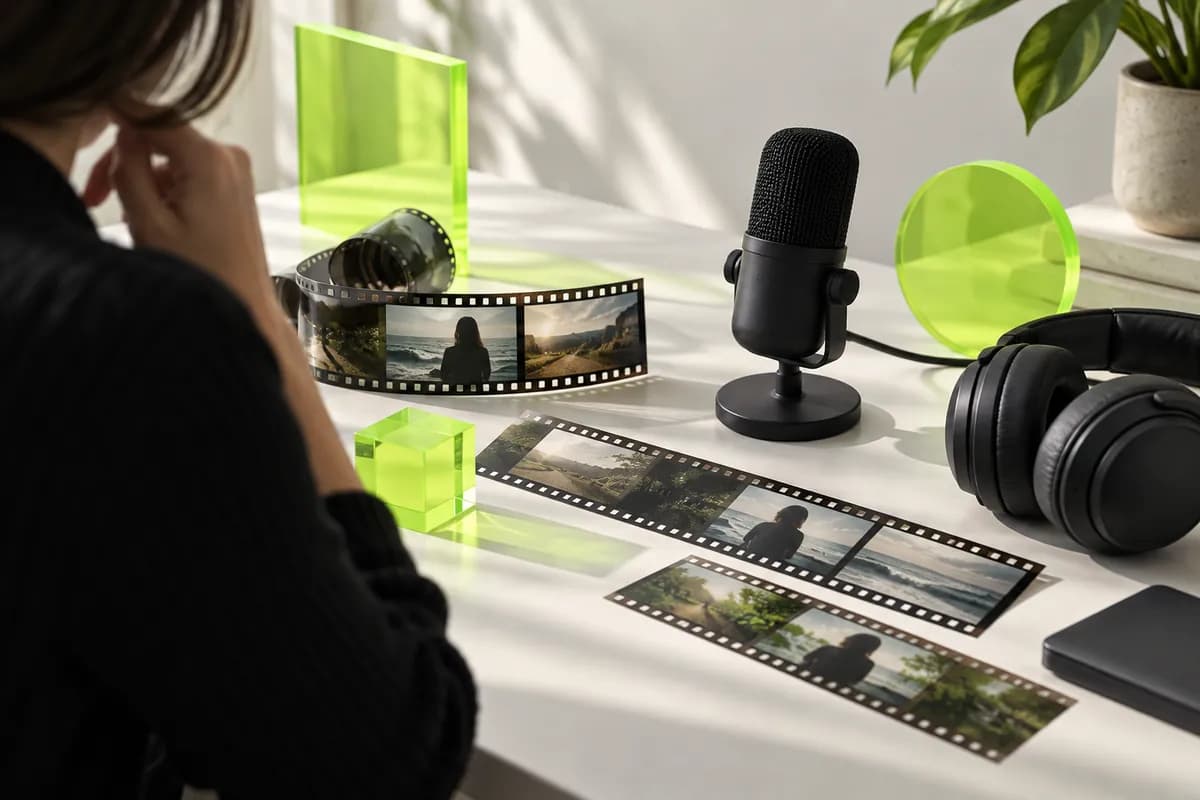
Abstract AI video editing workspace represented through layered creative materials

One-click editing with AI

  • Create videos in the browser with AI generation tools and leading models. Start from a description and turn an idea into a polished, editable draft.
  • Use automatic eye direction and framing tools to make recorded presenters look more natural on screen.
  • Build a reusable voice profile for quick narration and voiceovers without recording every line again.
  • Use virtual presenters to create clear talking-head videos for marketing, training, and internal communication.
Vertical social video composition with a creator filming outdoors

Online video maker for social media and business

  • Make professional social and marketing videos by dropping in your footage and shaping it with fast creative tools.
  • Reduce distracting room noise and keep your spoken audio clean, focused, and easy to follow.
  • Remove a video's background without a green screen, then replace it with a color, image, or new scene.
  • Polish recordings by cutting long silences, awkward pauses, and repeated filler words in seconds.
  • Work with teammates on shared projects and collect feedback at exact moments in the timeline.
Creator preparing multilingual captions beside a laptop and notebook

Translate subtitles, audio, and more

  • Generate accurate subtitles automatically, then style them with animation, emphasis, and layouts made for your audience.
  • Transcribe spoken audio and translate it into more than 125 languages with only a few clicks.
  • Turn written scripts into natural-sounding narration with a range of voices, accents, and delivery styles.
Content creator working in a warm home studio with a camera and editing materials

A complete AI video creation platform for content creators

  • Collaborate on video projects with fellow creators, clients, and teammates from one online workspace.
  • Edit audio, compress large videos for sharing, and adjust subtitles without switching tools.
  • Generate transcripts, translate video and audio, and publish engaging content in just a few steps.
  • Apply visual effects and AI enhancements while keeping your entire creative workflow in one place.

FAQ

Vidione is a strong choice for creators and marketing teams who want more than basic trimming. You can begin in the browser without downloading software, generate subtitles, clean up audio, and pull short clips from longer recordings. When you are starting from a blank page, AI tools can help create a first draft that you can shape with your own colors, type, and visual style.
Vidione brings transcript editing, automatic enhancements, and AI video creation into one online workflow. Edit a recording by changing its words, let automatic tools add subtitles and improve sound, or generate a complete starting point from a prompt. You can create, refine, and export without moving between several complicated applications.
Yes. The free experience includes essential tools for trimming, cropping, resizing, adding text, and working with music. It is ideal for simple social content and quick edits. Some advanced AI features and export options may be limited on the free plan, while paid access adds higher output quality, broader AI usage, and additional production controls.
Watermark-free exports depend on the plan and the tools used in your project. Vidione makes it easy to preview and share work while you edit, then choose an export option that matches the quality and branding needs of your final video.
A browser-based editor with a clear timeline, simple drag-and-drop controls, and automatic assistance is usually the easiest place to begin. Vidione keeps the essential controls visible while giving you AI shortcuts for captions, sound cleanup, and quick edits.
Upload your video, place it on the timeline, and drag the beginning or ending handles to keep only the section you need. You can also split a clip, remove unwanted moments, and rearrange the remaining pieces before exporting the finished version.
Vidione supports adding music, sound effects, and supporting footage to your project. You can combine your own media with available creative assets to give social posts, presentations, tutorials, and campaigns a more finished feel.
Vidione works in modern desktop browsers, making it a flexible choice for Windows, macOS, and shared team computers. For the smoothest experience, use an up-to-date version of Chrome, Safari, Edge, or Firefox with a stable internet connection.

Loved by creators.
Loved by leading teams

The first few videos I made with Vidione reached an audience I never expected.

Creator shown in a cropped studio portrait

Avery Chen

Content Producer,
Northstar Studio

I opened Vidione at the right moment and went straight from an idea to a finished campaign.

Marketing creator shown in a cropped portrait

Morgan Bell

Growth Marketing Lead,
Mosaic Labs

I did not need a long tutorial. The workflow felt clear from the first edit.

Founder shown in a cropped editorial portrait

Riley Okafor

Founder,
Fieldnote Creative

It goes beyond cutting clips. The finished videos look considered and ready to publish.

Demand generation creator shown in a cropped portrait

Jamie Vale

Demand Generation Manager,
Harbor Group

More from Vidione

Creative desk setup with camera, notebook, and abstract editing materials

Streamlining video editing with AI: a guide for busy teams

Practical ways to reduce repetitive editing work and move from raw footage to publishable content more quickly.

Learn more

Creator workspace comparing a browser workflow with a desktop editing setup

Browser editing vs. desktop suites: choosing the right workflow

Compare the pace, flexibility, and collaboration benefits of editing online when your team needs to move quickly.

Learn more

Minimal seven-step video production arrangement with camera and colored cards

A seven-step video editing workflow for any team

A repeatable process for planning, editing, reviewing, and delivering marketing, training, or customer videos.

Learn more

Trusted by 1M+ creators

When it comes to great videos, all you need is Vidione

Start creating freeNo credit card required
Creator moving through an urban setting with a camera for a video creation campaign

More than video editing software

Vidione is an AI video creation platform for generating videos, cleaning audio, adding captions, and exporting high-quality work. Convert videos to the format you need, or compress large files so they are easier to share. Trim, crop, and fine-tune your footage, then take it further with AI-powered tools for creation and enhancement. Whether you are a marketer, educator, or content creator, your complete workflow stays together in one place.