Compare · ClipShip
ClipShip vs Vidione: Clip Recordings or Create Talking Videos
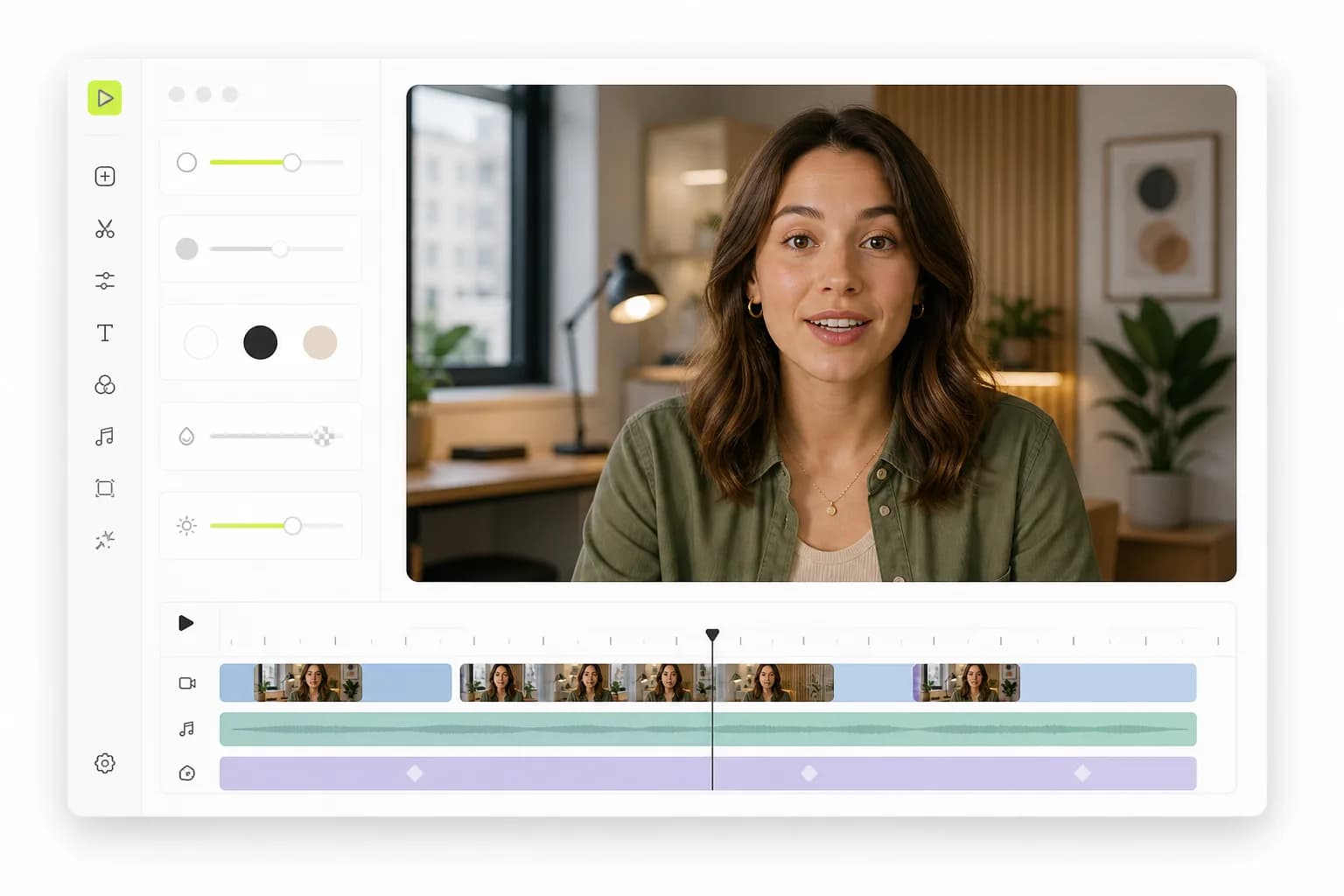
ClipShip is a desktop app that cuts long recordings into vertical clips on your own PC or Mac. Vidione does a different job in the browser: it makes a lip-synced talking video from a photo and a script, then captions and edits it, from $12 for your first month.
- No auto-clipping: we say so up front
- Nothing to install, no GPU needed
- Clone your voice, up to 4 speakers
- Auto subtitles at no extra credits
Updated November 13, 2026
Our take
ClipShip vs Vidione: the short verdict
Several small products use the ClipShip name. This page covers ClipShip the desktop app for Windows and Apple Silicon Macs, which finds clips in long recordings and renders them locally. If that is your job, ClipShip is the better and far cheaper choice: a free tier, Pro at $5 a month for its first 50 subscribers, or $99 once for its first 100 lifetime buyers. Vidione has no auto-clipping. It is for when you have no footage to clip: upload a photo or pick one of 45 library characters, write up to 2,000 characters of script, and Vidione makes a lip-synced talking video at 15 credits per second. It runs in a browser, so there is nothing to install and no GPU to buy. Plans start at $12 for the first month, then $25 for 5 finished minutes.
Pick Vidione if you…
- Need a talking video and have nothing filmed: a photo and a script are enough
- Want to work in a browser tab, with nothing to install and no GPU to buy
- Want your own cloned voice, or up to 4 characters in one script
- Want AI images and AI video clips from the same credits
- Want failed generations refunded automatically
Pick ClipShip if you…
- Have long recordings and want AI to find and cut the clips
- Want every frame to stay on your own computer
- Want a free tier, a $5 month or a one-time $99 licence with no usage caps
- Your first Vidione month (then $25)
- $12
- Apps to install for Vidione; it runs in the browser
- 0
- Characters one Vidione script can make talk
- 4
- ClipShip lifetime Pro, founder price, then $149
- $99
What ClipShip does, and what Vidione doesn't do
ClipShip is a clip generator. You import a local file or paste a YouTube, Twitch or Kick link, choose a genre, clip length and number of clips, and its local AI transcribes the video, suggests standalone moments, reframes the speaker to 9:16 and adds word-level captions. You review each clip, adjust the in and out points and export at 720p or 1080p.
Vidione does not do that, and we would rather say so here than after you pay:
- No auto-clipping. Vidione does not search a long recording for highlights. Its "AI Clips" item is marked coming soon.
- No face-tracked reframing of 16:9 footage into 9:16.
- No offline mode. Vidione runs in the cloud, so the videos it makes are stored online.
- No translation or dubbing yet, and no direct posting.
What Vidione does is create the video: a talking photo from one image and a script, with lip sync and a voice.
Where ClipShip falls short, and when a ClipShip alternative makes sense
ClipShip is a well-made local clipper. These limits come from its own site as of November 2026, and they matter when clipping isn't your only problem.
- It needs a recording. ClipShip cuts clips out of a video you already have. With no footage, or no wish to be on camera, it has nothing to work with.
- It needs the right computer. It supports Windows 10 and 11 and Apple Silicon Macs on macOS 15 or newer, not Linux. On Windows, 16 GB of RAM and an NVIDIA GPU are recommended, though a CPU mode exists.
- Licences are tied to a device. One Pro licence runs on one computer at a time, and Trial and Pro need a licence check online every 24 hours.
- Creating a presenter is not listed. Talking avatars, voice cloning and script-to-video appear nowhere on its pages.
If you need a person on screen saying your script, a ClipShip alternative built for creation fits better. See also AI avatars.
ClipShip vs Vidione feature comparison
What each product offers as of November 2026. "Not listed" means we found it nowhere on ClipShip's public home page or product guide.
Swipe the table to compare
| Feature | Vidione | ClipShip |
|---|---|---|
| Main job | Create talking videos from a photo and a script | Cut long recordings into short clips |
| Where it runs | In the browser, nothing to install | Desktop app: Windows 10/11, Apple Silicon macOS 15+ |
| Auto-clipping of long videos | No (AI Clips is marked coming soon) | Yes, files up to 2 hours |
| Face-tracked reframing to 9:16 | No | Yes, with multi-speaker handling |
| Talking avatar from a photo and script | Yes, 9:16 or 16:9 | Not listed |
| Voice cloning | Yes, from an uploaded or recorded clip | Not listed |
| Several speakers in one script | Up to 4 characters | Not listed |
| AI video and AI images | Yes, on the same credits | Not listed |
| Word-level captions | Yes, 5 styles, editable words, SRT file | Yes, Karaoke, Beast, Hormozi and Clean styles |
| On-video AI headlines | Not offered | Yes, editable |
| Caption languages | Follows the script you write | 99-language transcription |
| Editor | Timeline: split, trim, text, music, background removal | Clip review: in and out points, reframe mode |
| Export | MP4 up to 1080p, CapCut project | 720p free with watermark, 1080p on Pro |
| Direct posting | Download only | To a connected YouTube account |
| Footage stays on your computer | No, cloud-based | Yes, in Local AI mode |
| Free start | No; $12 first month | Free tier plus a 7-day Pro trial |
Try the parts Vidione does well: auto subtitles, voice cloning and the video editor.
ClipShip pricing vs Vidione pricing (as of November 2026)
List prices in US dollars. ClipShip charges for the app and puts no cap on clips; Vidione charges for minutes of finished, generated video.
Swipe the table to compare
| Plan | Price | What you get |
|---|---|---|
| Vidione Creator | $25/mo ($12 first month) | 5 finished minutes (4,500 credits), $5.00 a minute |
| Vidione Starter | $99/mo | 20 finished minutes (18,000 credits), $4.95 a minute |
| Vidione Pro | $199 to $599/mo | 45 to 150 finished minutes, $4.42 to $3.99 a minute |
| ClipShip Free | $0 | Unlimited local processing, 720p exports with a watermark |
| ClipShip Pro monthly | $5/mo for the first 50 subscribers | No watermark, 1080p, custom caption styles |
| ClipShip Pro lifetime | $99 once for the first 100 buyers, then $149 | The same Pro features, no recurring charge |
Vidione subscribers can add minutes at $5 each, 10 minimum; credits reset at each renewal and don't roll over. ClipShip offers a 7-day money-back guarantee, one refund per device, and monthly renewals aren't refundable. Full Vidione plans are on the pricing page.
Is ClipShip free, and which costs less per video?
ClipShip has a free tier with unlimited local processing, but exports are 720p with a ClipShip watermark. Every new install also gets a 7-day Pro trial with no card, one per computer. Vidione has no free plan; Creator is $12 for the first month, then $25.
On cost per short, the honest answer depends on what you start with.
- You have recordings. ClipShip wins easily. $99 once, or $5 a month, with no per-clip charge, against a Vidione plan that can't clip your footage at all.
- You have no footage. ClipShip has nothing to cut. On Vidione a 30-second talking video is 450 credits, so Creator's 4,500 credits make ten of them, about $2.50 each at $25.
- You'd have to buy hardware. ClipShip is cheap software, but the Windows PC it recommends, with an NVIDIA GPU and 16 GB of RAM, is not. Vidione generates the video on our servers.
So weigh ClipShip pricing against filming time and hardware, not against Vidione's minutes.
When ClipShip is the better pick
If you already record podcasts, interviews, lessons or streams and want shorts cut from them, ClipShip is the better tool, and no ClipShip alternative on this page competes with it there. It finds clips for you, tracks the speaker, writes editable headlines and keeps your footage on your own machine, for a one-time price.
- You record long videos every week and want a shortlist of clips from each one.
- Privacy matters: client calls or courses that should never be uploaded.
- You'd rather pay once than subscribe.
When Vidione is the better ClipShip alternative
Vidione is the better ClipShip alternative when the problem is making the video, not cutting it.
- No camera: upload a photo or pick one of 45 library characters, type up to 2,000 characters of script and choose a voice. Vidione returns a lip-synced talking photo in 9:16 or 16:9.
- Your own voice: clone it in voice cloning from a clip you upload or record, after agreeing to the terms.
- Dialogue: write one script for up to 4 tagged characters, and they speak in turn.
- Captions and cuts: add auto subtitles with the spoken word highlighted, click any word to fix it, split and trim on the timeline, then export MP4, an SRT file or a CapCut project.
- No special hardware: it runs in a browser tab and the video is generated on our servers, so you don't need a GPU.
If one line comes out wrong, regenerate just that clip. A generation that fails returns its credits automatically.
How to use Vidione next to ClipShip
You don't have to choose one. ClipShip cuts what you film; Vidione makes the videos you never filmed.
Step 01
Keep ClipShip for recordings
Run your long recordings through ClipShip as usual. Note which moments perform, since they make good scripts.
Step 02
Write the missing video
Turn an idea you never filmed into a script of up to 2,000 characters. Tag 2 to 4 characters if you want a conversation.
Step 03
Generate it in Vidione
Upload a photo or pick a library character, choose a preset or cloned voice and generate. The cost, 15 credits per second, shows before you click.
Step 04
Caption and export
Add auto subtitles, pick one of 5 caption styles, download the MP4 and post it next to your ClipShip clips.
Running a fair ClipShip vs Vidione test
These tools do different jobs, so test each on its own job.
Do
- Give ClipShip a real long recording with clear speech
- Give Vidione a script you would otherwise have to film
- Check ClipShip's hardware needs against your computer first
- Count the minutes you spend fixing each result
Don't
- Expect Vidione to find highlights in a recording; it can't
- Expect ClipShip to make a video from a script with no footage
- Judge ClipShip by its watermarked 720p free exports alone
- Clone a voice you have no right to use
More Vidione tools and comparisons
The Vidione pages that do the work, and other comparisons.
Frequently asked questions
Is Vidione a good ClipShip alternative for clipping recordings?
No. Vidione has no auto-clipping, so it can't search a long recording for highlights or reframe it around the speaker. If that is the job, ClipShip is the better and cheaper tool. Vidione fits when you have no footage: it makes a lip-synced talking video from a photo and a script, then adds editable word-level subtitles.
Is ClipShip free?
ClipShip has a free tier with unlimited local processing and all core clip features, but exports are 720p and carry a ClipShip watermark, as of November 2026. Every new install gets a 7-day Pro trial with no card, one per computer. Vidione has no free tier; its Creator plan is $12 for the first month, then $25.
How much does ClipShip cost compared with Vidione?
As of November 2026, ClipShip Pro is $5 a month for its first 50 subscribers, or $99 once for its first 100 lifetime buyers, then $149. Vidione is $25 a month for 5 finished minutes, $99 for 20 and $199 to $599 for 45 to 150. ClipShip sells software with no clip cap; Vidione sells generated video minutes.
Does the ClipShip app run on my computer?
ClipShip runs on Windows 10 and 11 and on Apple Silicon Macs with macOS 15 or newer. Linux isn't supported. On Windows it recommends at least 16 GB of RAM and an NVIDIA GPU, though a slower CPU mode is available. Vidione needs only a modern browser, since the video is generated on our servers.
Can Vidione make a video without any footage?
Yes, that is its main job. Upload one photo or choose from 45 library characters, write a script of up to 2,000 characters and pick a preset voice or your own cloned voice. Vidione generates a lip-synced talking video in 9:16 or 16:9 at 15 credits per second, and you can caption and edit it in the browser.
Does my footage leave my computer?
With ClipShip in Local AI mode, your video, transcript, captions and exports stay on your computer, and it says no video or transcript ever reaches its servers. Vidione is a cloud service, so the photos, voices and videos you create are stored in your account online. If keeping recordings offline is a hard rule, ClipShip suits you better.
Can Vidione translate or dub a video?
Not yet. Vidione's AI Dubbing tool is marked coming soon in the editor, so there is no translation today. ClipShip transcribes and captions in 99 languages but lists no dubbing either. If you need a translated voice track now, look at a dedicated dubbing tool before you pick either one.
What happens to my Vidione credits if a video fails?
They come back automatically. Vidione reserves the credits when a video starts, refunds them if the generation fails, and settles a video that comes out shorter than quoted down to its real length. Unused credits reset at each renewal and don't roll over, and you can cancel any time from your account settings.
Nothing for ClipShip to clip? Create the video
Turn a photo and a script into a talking video in your browser, then caption it at no extra credits. $12 for your first month.
Create a talking video