Compare · Crayo AI
Crayo AI vs Vidione: Clip and Narrate, or Put a Face on It
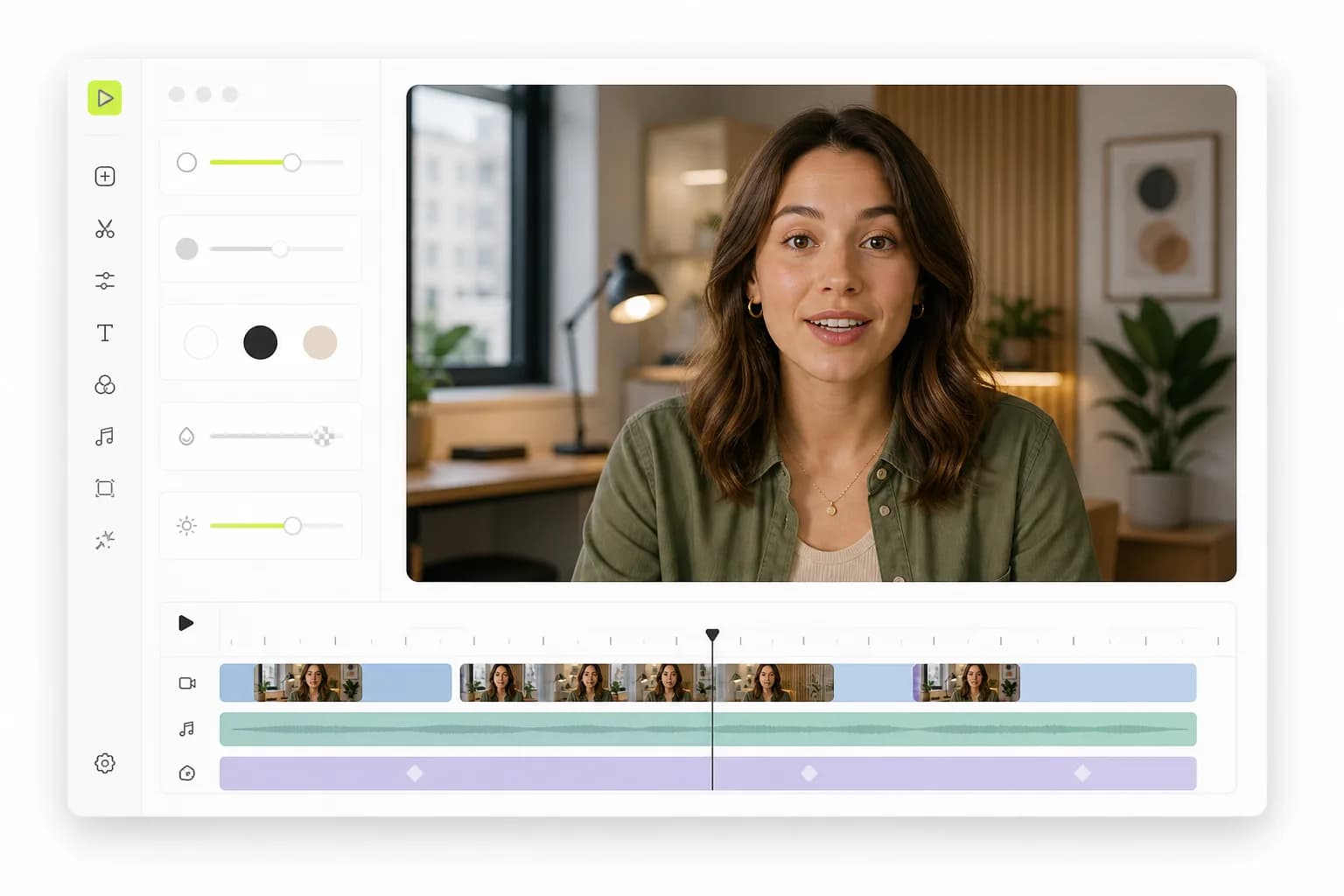
Crayo AI is a clipping tool with a browser editor, plus narrated Reddit-story and fake-text videos. Vidione does a different job: it makes a lip-synced talking video from a photo and a script, then captions and edits it, from $12 for your first month.
- No auto-clipping: we say so up front
- A talking face, not just a voiceover
- Auto subtitles at no extra credits
- Your own voice, up to 4 speakers
Updated November 14, 2026
Our take
Crayo AI vs Vidione: the short verdict
Crayo AI and Vidione overlap less than their editors suggest, so start with the job. If you clip long videos, podcasts, streams or interviews, use Crayo AI: AutoClip finds the moments, frames the speaker and adds captions and a title, and a multi-track editor lets you fix every cut. It also makes faceless story videos: a Reddit story or a fake text chat read by an AI voice over captions. Vidione has no auto-clipping. It is for the case where you want a person on screen saying your script without filming: upload a photo or pick one of 45 library characters, write up to 2,000 characters, and Vidione makes a lip-synced talking video at 15 credits per second. Crayo AI is far cheaper per clip, from $16.58 a month billed yearly. Vidione starts at $12 for the first month, then $25 for 5 finished minutes.
Pick Vidione if you…
- Want a lip-synced talking face saying your script, not only narration over captions
- Want your own cloned voice, or up to 4 characters talking in one script
- Want word-level auto subtitles on every video you make, at no extra credits, plus an SRT file
- Want to cut and caption in a browser editor, then export MP4, an SRT file or a CapCut project
- Want failed generations refunded automatically
Pick Crayo AI if you…
- Clip podcasts, streams or campaign footage at volume and track the views
- Make faceless Reddit-story or fake-text videos with AI voiceovers
- Need an API, an iPhone app or clipping in 50+ spoken languages
- Your first Vidione month (then $25)
- $12
- Vidione credits per finished minute of video
- 900
- Characters in one Vidione talking-video script
- 2,000
- Crayo Hobby per month, billed monthly, 250 credits
- $29
What Crayo AI does, and what Vidione doesn't do
Crayo AI calls itself a clipping tool, and that is its core. AutoClip takes a long video and returns captioned vertical clips with titles; Find Viral Moments scores moments for you to approve; Clip Cutter lets you pick them by hand. A browser editor adds a multi-track timeline, LUTs, zooms, reframe and b-roll. Beyond clipping it makes Reddit-story and fake-text videos with AI voiceovers, and it has a library of long videos ready to clip and a view tracker.
Vidione does not clip. To be plain about it:
- No auto-clipping. Vidione does not scan a long video and pick highlights. An "AI Clips" tool is in the editor menu, but it is marked coming soon.
- No auto-reframing and no viral score.
- No translation or dubbing yet, also marked coming soon.
- No posting, view tracking or public API. You download the file and post it yourself.
What Vidione does is create the presenter: a talking photo from one image and a script, in 9:16 or 16:9, with lip sync and a voice.
Where Crayo AI falls short, and why some people look for a Crayo AI alternative
Crayo AI is a capable clipping studio. These are the limits that matter if you need something else, all from Crayo's own pages as of November 2026.
- Clips need footage. AutoClip cuts a video you supply, or one from Crayo's footage library. Without a source, there is nothing to clip.
- A talking presenter is not listed. Crayo lists AI voiceovers, AI images, a voice changer and face swap. A talking avatar from a photo, lip sync and voice cloning are not listed.
- Story videos are faceless. Reddit-story and fake-text videos are a voice over captions or chat bubbles, not a person speaking.
- No free plan and no refunds. Crayo lists three paid plans and does not offer refunds.
- Export is capped. Hobby includes 2 hours of finished video a month, Clipper 10 and Pro 30.
If you want a face on screen saying your script, a Crayo AI alternative built for that fits better. See also AI avatars and the Vidione alternatives page.
Crayo AI vs Vidione feature comparison
What each product offers as of November 2026. "Not listed" means we found it nowhere on Crayo's public home, pricing, feature or API pages.
Swipe the table to compare
| Feature | Vidione | Crayo AI |
|---|---|---|
| Main job | Create talking videos from a photo and a script | Clip long videos and edit them |
| Auto-clipping of long videos | No (AI Clips is marked coming soon) | Yes, AutoClip and Find Viral Moments |
| Auto-reframing | No | Yes, AI reframe |
| Talking avatar with lip sync | Yes, from a photo or 45 library characters | Not listed |
| Voice | 4 preset voices, 45 library characters with their own voices, or your cloned voice | AI voiceovers from a voice catalog; voice changer |
| Voice cloning | Yes, from an uploaded or recorded clip | Not listed |
| Several speakers in one script | Up to 4 characters | Fake-text chats with a voiceover |
| Faceless story videos | No | Reddit story, fake texts |
| Auto subtitles | Word-level on videos made in Vidione, 5 styles, editable words, no extra credits | Animated word-timed captions, 32 templates, 56 spoken languages, editable words |
| Editor | Timeline: split, trim, text, music, background removal | Multi-track timeline, LUTs, zooms, transitions, b-roll |
| Export | MP4 up to 1080p, SRT file, CapCut project | 2 to 30 export hours a month by plan |
| Translation or dubbing | Not yet (marked coming soon) | Caption translation listed in the iPhone app; no dubbing listed |
| API and apps | Web only, no public API | REST API, iPhone app |
| Free start | No; $12 first month | No free plan listed |
| Refunds | Failed generations refunded automatically | No refunds offered |
Try the parts Vidione does well: auto subtitles, voice cloning and the video editor.
Crayo pricing vs Vidione pricing (as of November 2026)
List prices in US dollars. Crayo sells workflow credits, one per AI clip; Vidione sells minutes of finished, generated video. The last column is what one unit costs.
Swipe the table to compare
| Plan | Price | Includes | Per unit |
|---|---|---|---|
| Vidione Creator | $25/mo ($12 first month) | 5 finished minutes (4,500 credits) | $5.00 a minute |
| Vidione Starter | $99/mo | 20 finished minutes (18,000 credits) | $4.95 a minute |
| Vidione Pro | $199 or $599/mo | 45 or 150 finished minutes | $4.42 or $3.99 a minute |
| Crayo Hobby | $29/mo, $19/mo quarterly, $16.58/mo yearly | 250 credits, 2 export hours, 30 voiceover minutes | $0.12, or $0.066 yearly, a clip |
| Crayo Clipper | $59/mo, $39/mo quarterly, $33.25/mo yearly | 1,000 credits, 10 export hours, 120 voiceover minutes | $0.059, or $0.033 yearly, a clip |
| Crayo Pro | $129/mo, $79/mo quarterly, $66.58/mo yearly | 3,000 credits, 30 export hours, 180 voiceover minutes | $0.043, or $0.022 yearly, a clip |
Crayo plan credits refill monthly on every term and don't roll over; top-up credits never expire. Vidione subscribers can add minutes at $5 each, 10 minimum, and Vidione credits reset at each renewal. Full Vidione plans are on the pricing page.
Is Crayo AI free, and which costs less per video?
Crayo AI lists no free plan: plans start at Hobby, $29 a month billed monthly. Vidione has no free plan or trial either; Creator is $12 for the first month, then $25.
Which costs less depends on what you make.
- You clip long videos. Crayo AI wins by a wide margin: one AI clip is one credit, about $0.12 on Hobby billed monthly and less on bigger plans. Vidione can't clip at all.
- You make faceless story videos. Crayo includes 30 to 180 voiceover minutes a month for exactly that.
- You need a talking face. Crayo lists no way to make one. On Vidione a 30-second talking video is 450 credits, so Creator's 4,500 credits make ten, about $2.50 each at $25.
So compare Crayo pricing with what the video needs to show, not only with Vidione's minutes.
When Crayo AI is the better pick
If your work is clipping, Crayo AI is the better tool, and no Crayo AI alternative on this page competes with it there. It goes from moment to final cut in one tab, takes 3-hour sources and tracks views on the clips you post.
- You clip podcasts, streams or campaign footage every day.
- You run faceless channels built on Reddit stories or text-message videos.
- You need clipping in your own product through an API, or on an iPhone.
When Vidione is the better Crayo AI alternative
Vidione is the better Crayo AI alternative when the video needs a person speaking, and you have no one to film.
- A face from a photo: upload a photo or pick one of 45 library characters, type up to 2,000 characters of script and choose a voice. Vidione returns a lip-synced talking photo in 9:16 or 16:9.
- Your own voice: clone it in voice cloning from a clip you upload or record, after agreeing to the terms.
- Dialogue with faces: write one script for up to 4 characters, each with a tag, and they speak in turn on screen, not in chat bubbles.
- Captions and cuts: generate auto subtitles with the spoken word highlighted, click any word to fix it, split and trim, then export MP4, an SRT file or a CapCut project.
If one line comes out wrong, regenerate just that clip. A generation that fails returns its credits automatically.
How to use Vidione next to Crayo AI
Many creators keep both. Crayo AI clips and narrates; Vidione adds the talking presenter.
Step 01
Keep Crayo for clips and stories
Clip your long videos and make story videos in Crayo AI as before. Note which hooks get the most views.
Step 02
Write a presenter script
Turn a winning hook into a script of up to 2,000 characters. Use tags if you want 2 to 4 characters to talk to each other.
Step 03
Make the talking video
In Vidione, upload a photo or pick a library character, choose a preset or cloned voice and generate. The cost, 15 credits per second, shows before you click.
Step 04
Caption, export, post
Add auto subtitles, pick a caption style, then download the MP4 and post it with the rest of your shorts.
Running a fair Crayo AI vs Vidione test
These tools solve different problems, so test each on the job it was built for.
Do
- Give Crayo AI a real long video with clear speech
- Give Vidione a script that needs a face on screen
- Count export hours and voiceover minutes on Crayo, finished minutes on Vidione
- Count the minutes you spend fixing each result
Don't
- Expect Vidione to find highlights in a long video; it can't
- Expect a lip-synced presenter from Crayo's story videos
- Compare Crayo's price per clip with Vidione's price per minute directly
- Clone a voice or clip footage you have no right to use
More Vidione tools and comparisons
The Vidione pages that do the work, and other clipper comparisons.
Frequently asked questions
Is Vidione a good Crayo AI alternative for clipping?
No. Vidione has no auto-clipping, so it can't cut a long video into highlights, reframe it or score moments. If that is the job, keep Crayo AI. Vidione is the better fit when the video needs a person speaking: it makes a lip-synced talking video from a photo and a script, then adds word-level subtitles you can edit.
Is Crayo AI free?
Crayo lists no free plan as of November 2026: plans start at Hobby, $29 a month billed monthly, $19 quarterly or $16.58 yearly, and Crayo does not offer refunds. Vidione has no free plan either; its Creator plan costs $12 for the first month and $25 after that, for 5 finished minutes.
How much does Crayo cost compared with Vidione?
As of November 2026, Crayo pricing is $29, $59 or $129 a month billed monthly, or $16.58, $33.25 and $66.58 a month billed yearly, for 250, 1,000 or 3,000 workflow credits. Vidione is $25 a month for 5 finished minutes, $99 for 20 and $199 for 45 or $599 for 150. Crayo meters clips; Vidione meters generated video.
What is a Crayo workflow credit?
One Crayo workflow credit makes one AI clip. AutoClip and the AI Video Editor use 1 credit per clip, Find Viral Moments uses 1 credit per moment it finds, and cutting clips by hand is free. Export is capped separately, from 2 to 30 hours of finished video a month depending on the plan.
Can Crayo make a talking avatar video?
Crayo lists no talking avatar or lip-sync feature as of November 2026. Its story tools put an AI voiceover over captions, a Reddit-post card or a text-message chat, and it lists face swap and a voice changer. Vidione makes the talking face itself: one photo and a script become a lip-synced video at 15 credits per second.
Can Vidione make a video without any footage?
Yes, that is its main job. Upload one photo or choose from 45 library characters, write a script of up to 2,000 characters and pick a preset voice or your own cloned voice. Vidione generates a lip-synced talking video in 9:16 or 16:9 at 15 credits per second, and you can then caption and edit it in the browser.
Are Vidione's auto subtitles really free of credits?
Yes, for videos you make in Vidione. Generating their subtitles uses no extra credits. You get word-level captions with the spoken word highlighted, 5 caption styles and a one-word-at-a-time mode, and you can click any word to fix it. Captions are burned into the MP4 export or saved as an SRT file.
What happens to my Vidione credits if a video fails?
They come back automatically. Vidione reserves the credits when a video starts, refunds them if the generation fails, and settles a video that comes out shorter than quoted down to its real length. Unused credits reset at each renewal and don't roll over, and you can cancel any time from your account settings.
Need a face, not just a voiceover? Try Vidione after Crayo AI
Turn a photo and a script into a lip-synced talking video, then caption it at no extra credits. $12 for your first month.
Create a talking video